
Upgrading Your New Nintendo 3DS XL C-Stick with the Lenovo TrackPoint Caps for Better Control
Introduction
The New Nintendo 3DS XL is a fantastic handheld gaming console, but many users have noticed that the C-stick can feel a bit slippery or imprecise. Fortunately, you can easily upgrade the C-stick with a Lenovo Super Low Profile TrackPoint cap to significantly improve grip and control. In this guide, we’ll show you how to perform this simple, fully reversible mod, enhancing your gaming experience. Best of all, no permanent modifications are necessary—you can revert to the original C-stick cap whenever you wish.
Why Upgrade to a Lenovo Super Low Profile TrackPoint Cap?
The original C-stick on the New Nintendo 3DS XL works fine for most users, but for those looking for precision and better handling, the Lenovo TrackPoint cap is a great upgrade. Here are some key reasons why you should consider this mod:
- Better Grip: The Lenovo TrackPoint cap offers a textured surface, improving grip and control over the stock C-stick.
- Enhanced Precision: With better grip comes better accuracy, especially in games requiring fine control.
- Completely Reversible: You can easily switch back to the original C-stick at any time, without any damage to your 3DS.
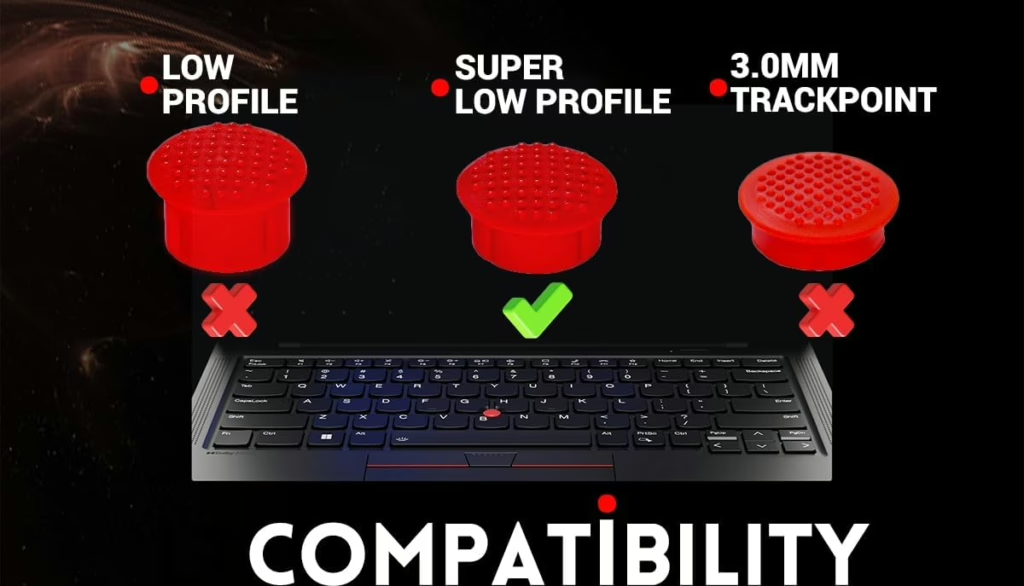
Make sure you order the Super Low Profile Lenovo TrackPoint caps, as they fit perfectly over the C-stick without interfering with the closing mechanism of the 3DS. You can find these caps on Amazon here.
Tools You’ll Need
- Precision screwdriver set
- Lenovo Super Low Profile TrackPoint caps (available here)
- A small spudger or plastic pry tool (optional)
For disassembling the New Nintendo 3DS XL, you can follow iFixit’s excellent guide here, up to step 6. After that, we will explain the additional steps required for replacing the C-stick with the Lenovo cap.
Step-by-Step Guide to Upgrading the C-Stick
- Disassemble the 3DS XL (Up to Step 6 in the iFixit Guide):
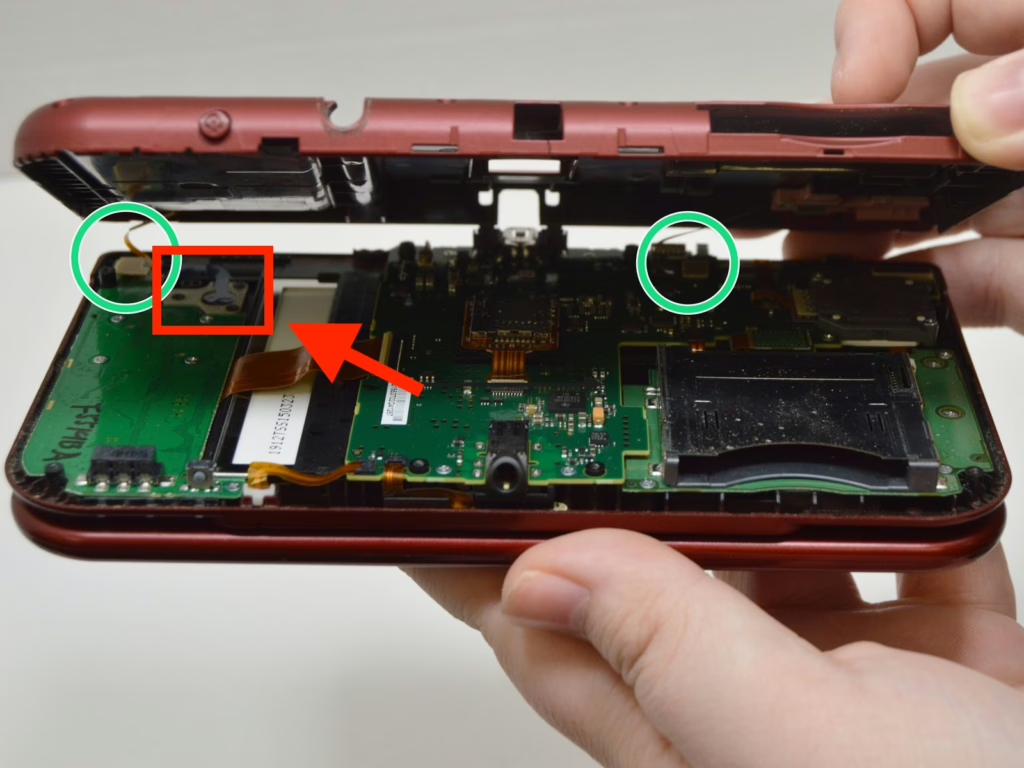
- Begin by removing the back panel, battery, and screws as described in the iFixit guide up to step 6. You should have the C-Stick accessible under the back plate. Be careful when handling small parts to avoid misplacing them.
- Begin by removing the back panel, battery, and screws as described in the iFixit guide up to step 6. You should have the C-Stick accessible under the back plate. Be careful when handling small parts to avoid misplacing them.
- Remove the C-Stick:
- Once you’ve reached the C-stick area, you’ll notice it is held in place by three small screws. Carefully remove these screws with a precision screwdriver.
- Next, you’ll need to lift the small silicone button underneath the C-stick, which acts as the buffer between the stick and the motherboard. Do not discard this silicone piece if you ever wish to switch back to the original C-stick.
- After removing the silicone button, place the C-stick back in its slot without the silicone padding. The reason for this is that the Lenovo TrackPoint cap needs direct contact to fit securely.
- Reassemble the 3DS XL:
- At this point, you can start reassembling the device by reversing the disassembly steps in the iFixit guide. Once the console is closed and reassembled, you’re ready for the next step.
- Attach the Lenovo TrackPoint Cap:
- Now that your 3DS is reassembled, simply pop the Lenovo Super Low Profile TrackPoint cap onto the C-stick. The TrackPoint cap is designed to be pressed into place, since it fits the existing C-stick connection.
Here is a side by side comparison.
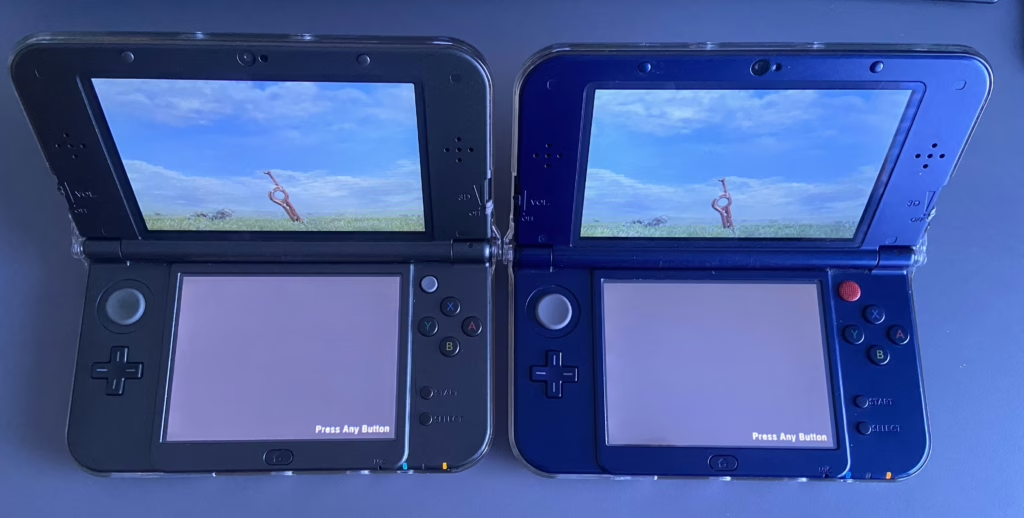
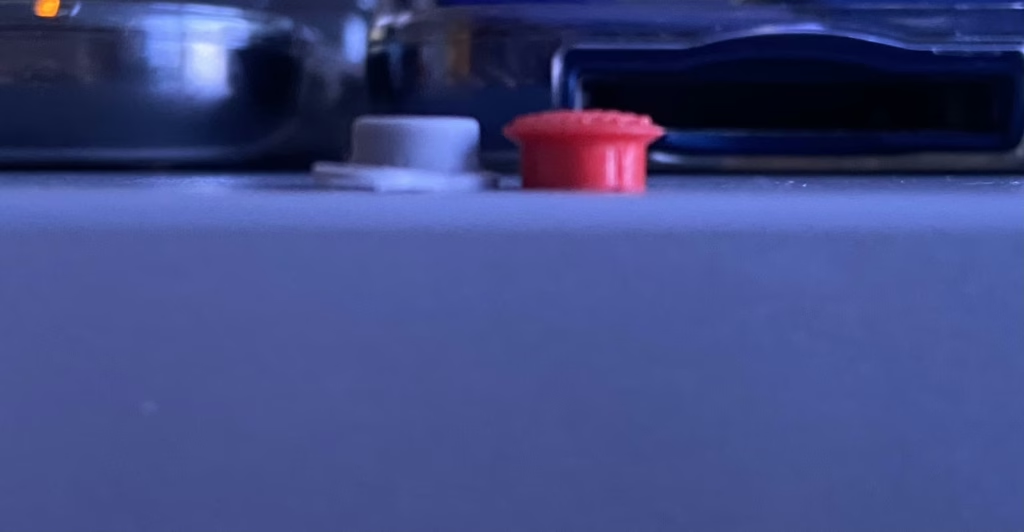
The Lenovo cap just barely edges out of the dimensions compared to the original
Alternative Mod: PSP 1000 Joystick Cap
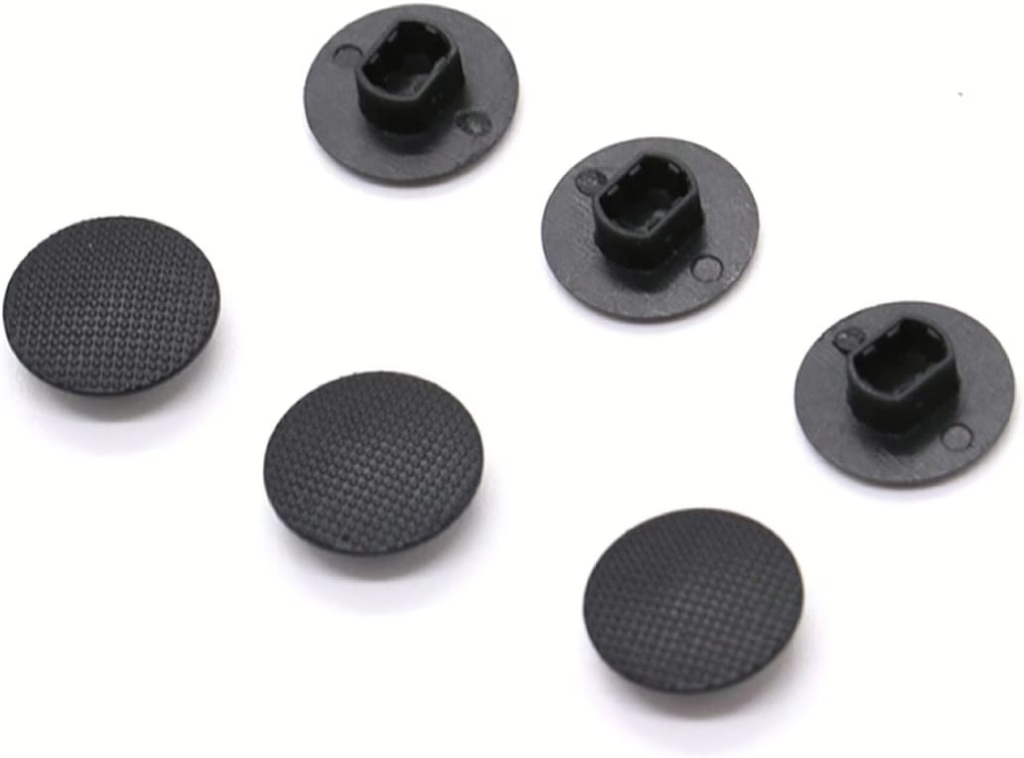
Some modders have experimented with using the PSP 1000 joystick cap as an alternative to the Lenovo TrackPoint. While the PSP cap does improve grip compared to the original C-stick, the Lenovo Super Low Profile TrackPoint cap offers superior control and comfort based on user reviews. Since the PSP cap has a wider connection and the cap itself is larger in diameter it has more loose and slightly restricted movement.
Conclusion
Upgrading your New Nintendo 3DS XL C-stick with a Lenovo Super Low Profile TrackPoint cap is a simple, reversible modification that enhances control, precision, and comfort. This mod can improve your gaming experience, especially for games requiring delicate inputs like “Super Smash Bros.” or “Monster Hunter.” With just a few tools and some careful disassembly, you can easily make this upgrade. Plus, if you ever want to revert to the original C-stick, it’s just as simple.
Useful Resources
- Buy Lenovo Super Low Profile TrackPoint Caps on Amazon
- iFixit Guide for 3DS XL Circle Pad Replacement
- Nintendo 3DS Official Support Page
This simple mod brings a significant improvement to your gaming comfort and control, so give it a try and enjoy the enhanced experience!


Recent Comments